I'll admit, I'm an apple fanboy.
Who doesn't love their UI? Their clean, minimalistic feel that everyone wants to have in their own apps. I love the way that apple is able to present themselves to the end user, and I've always wanted to replicate that feeling in a creation of my own.
Octaves
I'm currently building an open source music app called Octaves to connect to my personal library instances to listen directly from my phone. This already exists, but I'm adding a twist to mine (and I'm just doing it for fun). For all of my users (literally one other person..), I'm going to be adding a feature that allows them to request songs directly, instead of having me go and add them manually.
I decided to use this opportunity to learn SwiftUI, and what better app to learn from than Apple's own music app.
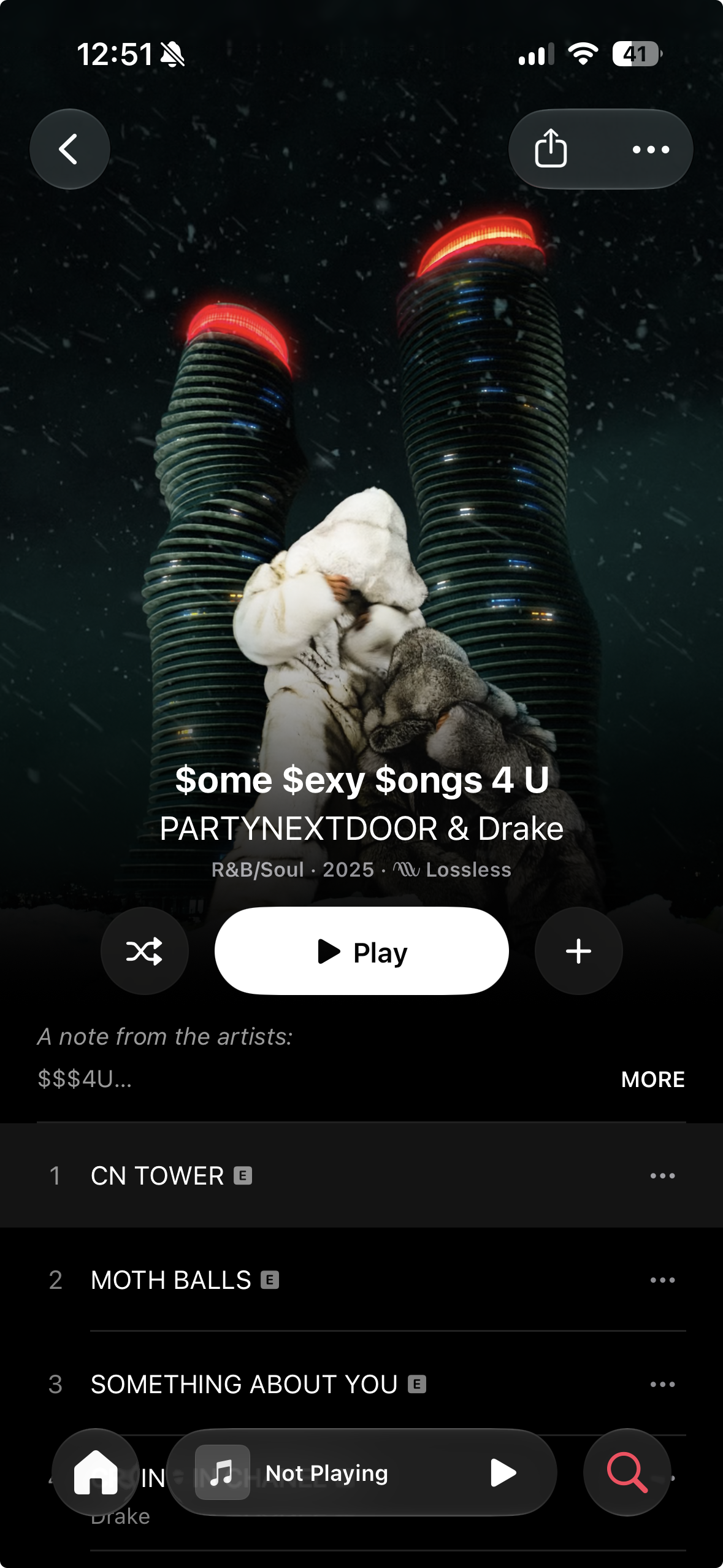
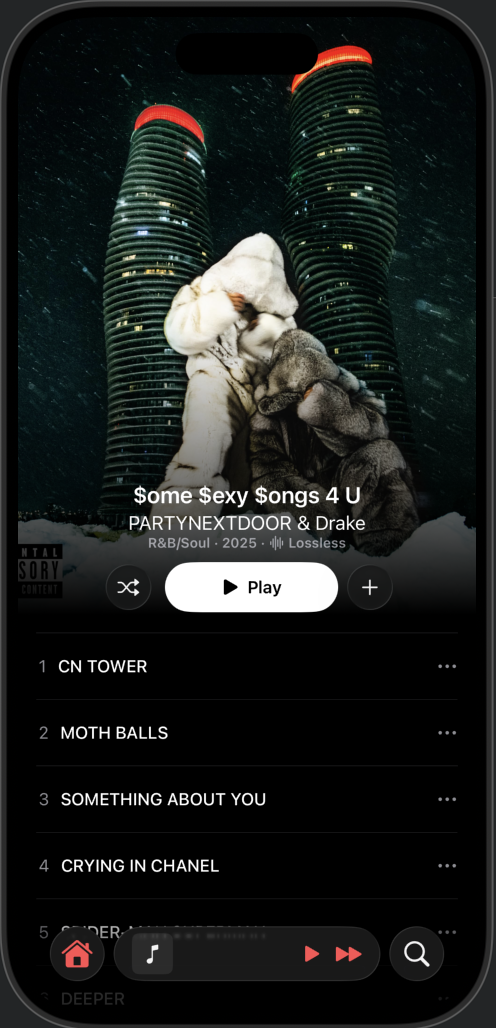
The left is the original Apple music, and the right is my unpolished clone. (the right doesn't use the tall variant of the m3u8, which is why the spacing is off)
But while I was looking through albums for UI inspiration, I found a specific feature that no one else had. Not even Spotify!
Apple Music allows their creators to upload animated album covers.
The album cover shown in the picture ($ome $exy $ongs 4 U), if pulled up in Apple Music (or in the web app), will loop through a 30 second animation of some snow falling and the buildings rotating. If you look at other albums, there's a pretty good chance that those are animated too. Some other examples are: Dark Lane Demo Tapes, Whole Lotta Red, and Currents, just to name a few.
The second I saw this, it's like a lightbulb lit up and exploded above my head. I NEEDED this feature.
Apple's secret music API
The only thing that lets this work is that these album videos are publicly accessible WITHOUT an account. You can open a link to the exact album in incognito and still see the animation just fine.
Still, there's a few hoops we need to jump through in order to get it.
Apple Music actually already has an API, that looks something like this: https://api.music.apple.com/v1/...
Apple's documentation says that endpoint provides catalog information, search, playlists, recommendations, user libraries, ratings, listening history, and related Apple Music functionality.
It's officially for people developing in the Music API, but it lacks the important information we need. As usual, Apple keeps the good stuff to themselves.
Apple Music's internal domain looks something like this: https://amp-api.music.apple.com/v1
This is what they use for querying on accessing music.apple.com, and if you pass in a magic, undocumented query, you can query albums for their editorialVideo
GET https://amp-api.music.apple.com/v1/catalog/us/albums/123456789
	?extend=editorialVideo
	&platform=web

Authorization: Bearer <apple-web-player-token>
Origin: https://music.apple.com
This isn't too hard to find out, just open the network tab on music.apple.com, and you can see exactly how they query and where.
But, you'll notice that it still has an Authorization header. Apple gives back a JWT for the Authorization so that users sending requests can be identified, even if that user is not a paying customer, allowing for rate limits and other policy restrictions.
We can extract this from a request using some gnarly regex: #"["'](eyJ[A-Za-z0-9_\-=]+\.[A-Za-z0-9_\-=]+\.[A-Za-z0-9_\-=]+)["']"#
Querying the API
Before we can get the videos, we need to get the Album ID. For this we can query https://music.apple.com/us/search with an Album Title and Artist name (to reduce ambiguitiy). And we'll purposefully pick the first matching album whose Title matches directly.
Once we pull the ID, we can make the request! And we'll get back two important fields:
- motionDetailSquare
- motionDetailTall
We have it! But you'll notice that these are a little different than just a straight mp4 download...
Playing the videos
The responses you get (if you're following along somehow) are HLS Video Streams, encoded as a .m3u8 playlist. Essentially, this reveals that Apple streams it directly as a video instead of a GIF or similar format.
The great part about coding in Swift is: Apple already did this for us! We can just send in the exact .m3u8 playlist using an AVPlayerItem and looping it with AVQueuePlayer and AVPlayerLooper. Using a combination of those components seamlessly loops the extracted .m3u8 into a container that we can then style.
With a few nicely coded abstractions, you can bring down the complexity of a request to just this:
.task {
  await model.load(title: "Dark Lane Demo Tapes", artist: "Drake")
}
And we now have full access to all of Apple Music's animated albums.
yes, i know the album cover doesn't match the name
Disclaimers
While other people have created open source solutions that let you download the mp4 directly, there's no documentation around this. The existing solution I looked at was just a C# dotnet 10 application that is hosted for end users. There's also no other solution, to my knowledge, that uses Swift for this, and allows you to stream directly from the link instead of an intermediary conversion.
This approach may or may not work for you, especially if this blog post gets read years in the future. Apple may change their internal api and access rules at their discretion. If you're also trying to ship an app, this approach may or may not get blocked by reviewers. I'm not planning on publishing this either, and this blog post was just created to demonstrate a fun experiment that looks cool.
Thanks for reading!
- Anish